Software Engineering & Digital Products for Global Enterprises since 2006
CMMi Level 3SOC 2ISO 27001
View all services
Staff Augmentation
Embed senior engineers in your team within weeks.
Dedicated Teams
A ring-fenced squad with PM, leads, and engineers.
Build-Operate-Transfer
We hire, run, and transfer the team to you.
Contract-to-Hire
Try the talent. Convert when you're ready.
ForceHQ
Skill testing, interviews and ranking — powered by AI.
RoboRingo
Build, deploy and monitor voice agents without code.
MailGovern
Policy, retention and compliance for enterprise email.
Vishing
Test and train staff against AI-driven voice attacks.
CyberForceHQ
Continuous, adaptive security training for every team.
IDS Load Balancer
Built for Multi Instance InDesign Server, to distribute jobs.
AutoVAPT.ai
AI agent for continuous, automated vulnerability and penetration testing.
Salesforce + InDesign Connector
Bridge Salesforce data into InDesign to design print catalogues at scale.
HumanDISC
AI-powered behavioral assessments and DISC profiling for smarter hiring.
View all solutions
Banking, Financial Services & Insurance
Cloud, digital and legacy modernisation across financial entities.
Healthcare
Clinical platforms, patient engagement, and connected medical devices.
Pharma & Life Sciences
Trial systems, regulatory data, and field-force enablement.
Professional Services & Education
Workflow automation, learning platforms, and consulting tooling.
Media & Entertainment
AI video processing, OTT platforms, and content workflows.
Technology & SaaS
Product engineering, integrations, and scale for tech companies.
Retail & eCommerce
Shopify, print catalogues, web-to-print, and order automation.
View all industries
Blog
Engineering notes, opinions, and field reports.
Case Studies
How clients shipped — outcomes, stack, lessons.
White Papers
Deep-dives on AI, talent models, and platforms.
View all resources
About Us
Who we are, our story, and what drives us.
Co-Innovation
How we partner to build new products together.
Careers
Open roles and what it's like to work here.
News
Press, announcements, and industry updates.
Leadership
The people steering MetaDesign.
Locations
Gurugram, Brisbane, Detroit and beyond.
Contact Us
Talk to sales, hiring, or partnerships.
Request TalentStart a Project
Plug-in & Integrations · PowerPoint Add-in Development

Custom PowerPoint add-ins for brand-perfect presentations.

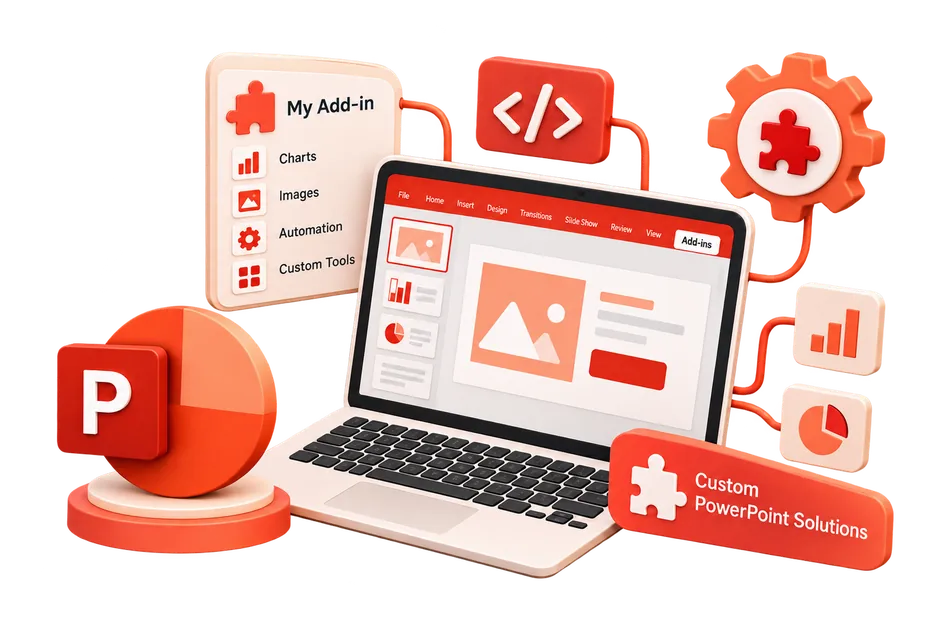
Custom Microsoft PowerPoint add-ins built on Office JS. Connect your corporate asset libraries, automate slide generation, and ensure every presentation is perfectly on-brand. As a leading PowerPoint add-in development company, we specialize in custom PowerPoint add-in development tailored to your unique business logic.
Asset library integration
Automated deck generation
Brand compliance checkers
AppSource certification
VSTO to Web migration
PowerPoint Add-in Development
100K+
Slides generated
Automated data-driven presentations built instantly.
100%
Brand compliance
Enforcing corporate guidelines across all pitch decks.
Hours
Saved per pitch
Eliminating the manual search for the right logos and charts.
1st
Pass AppSource
Secure add-ins engineered to pass Microsoft certification.
Why MetaDesign

PowerPoint add-in developers who understand branding.

From DAM integrations to data-driven slide generation—we build presentation tools that scale.

Asset Library Integration

We connect PowerPoint directly to your DAM (Digital Asset Management) system, bringing approved logos, images, and slide templates into the task pane. hire PowerPoint add-in developers to build enterprise PowerPoint add-ins that scale securely.

Data-Driven Slides

Generate complete presentation decks automatically by pulling data and charts from external reporting tools or databases. Accelerate this with our PowerPoint add-in development services.

Brand Enforcement

Build custom checkers that scan slides for incorrect fonts, colors, or outdated logos before the presentation can be saved or exported.

Teams shipping with MetaDesign
Selected work

Case studies.

Enterprise Brand Compliance Add-ins

Enterprise Brand Compliance Add-ins

Custom Word, Excel, and PowerPoint add-ins for strict brand guideline enforcement.

Financial Services Firm

40%
Time Saved
3x
Office Apps
Central
Admin Panel
100%
Brand Compliance
Collaborative Engineering Office Add-in

Collaborative Engineering Office Add-in

Real-time synchronization of engineering data in Office documents for Valispace.

Valispace

Real-time
Data Sync
Cross-app
Office Suite
VSTO/OfficeJS
Supported
100%
Accuracy
AUTOMATE.
ENFORCE.
INTEGRATE.
PUBLISH.

Sales Enablement

Allow sales reps to instantly assemble custom pitch decks using pre-approved, modular slide templates. Streamline this end-to-end with our Microsoft PowerPoint extension developers.

Marketing Reports

Automate the creation of weekly marketing performance presentations by pulling data directly from analytics platforms. When you hire PowerPoint add-in developers, you ensure your project is built to the highest enterprise standards.

Corporate Branding

Provide a "Brand Check" button that audits presentations against corporate style guides.

Media Insertion

Search and insert licensed stock photography or corporate media assets without leaving PowerPoint.

Our Approach

PowerPoint Add-in Development: Our Proven Process

01

Analyse

Understand your presentation workflows, brand guidelines, and asset management systems. As your dedicated PowerPoint add-in development company, we prioritize performance and scalability from day one.

02

Design

Create an intuitive task pane UI using Fluent Design for searching and inserting assets. We achieve this through our comprehensive PowerPoint add-in development services, minimizing technical debt.

03

Build

Develop the PowerPoint add-in with Office JS, connecting to your DAM or data APIs. Our architects design a custom PowerPoint add-in development blueprint tailored specifically to your ecosystem.

04

Test

Ensure flawless rendering and asset insertion across Windows, Mac, and web.

05

Deploy

Enterprise rollout via Microsoft 365 Admin Center or AppSource publishing.

01

Analyse

Understand your presentation workflows, brand guidelines, and asset management systems. As your dedicated PowerPoint add-in development company, we prioritize performance and scalability from day one.

02

Design

Create an intuitive task pane UI using Fluent Design for searching and inserting assets. We achieve this through our comprehensive PowerPoint add-in development services, minimizing technical debt.

03

Build

Develop the PowerPoint add-in with Office JS, connecting to your DAM or data APIs. Our architects design a custom PowerPoint add-in development blueprint tailored specifically to your ecosystem.

04

Test

Ensure flawless rendering and asset insertion across Windows, Mac, and web.

05

Deploy

Enterprise rollout via Microsoft 365 Admin Center or AppSource publishing.

Customer Value

Why enterprises choose our
PowerPoint services.

Tangible outcomes from automating presentation workflows.

Brand Consistency

Ensure every slide deck leaving your company strictly adheres to corporate style guidelines.

Save Time

Eliminate hours spent searching for logos, assets, and previous slide templates.

Centralized Assets

Connect your entire workforce to a single source of truth for all imagery and messaging.

Automated Reporting

Turn days of manual charting into a one-click automated presentation generation process.

IT Approved

Secure architecture that passes enterprise security and compliance reviews effortlessly.

Easy Deployment

Deploy globally via the Microsoft 365 Admin Center with no local installation required.

Stack

Tools our PowerPoint Add-in
Developers
ship with.

Production-tested toolchains, frameworks, and infrastructure our PowerPoint Add-in engineering teams use to ship scalable, secure solutions.

Office JS API
Fluent UI
PowerPoint API
React
React
TypeScript
TypeScript
Node.js
Node.js
Office JS API
Fluent UI
PowerPoint API
React
React
TypeScript
TypeScript
Node.js
Node.js
Office JS API
Fluent UI
PowerPoint API
React
React
TypeScript
TypeScript
Node.js
Node.js
Azure AD
Azure AD
OAuth2
REST APIs
AppSource
Microsoft 365
Azure AD
Azure AD
OAuth2
REST APIs
AppSource
Microsoft 365
Azure AD
Azure AD
OAuth2
REST APIs
AppSource
Microsoft 365
By the numbers
400+
Engineers worldwide
200+
Active clients
20yr
Pure-play software
94%
Client retention
Engagement models

Three ways to work with our PowerPoint Add-in team.

Pick the shape that matches your risk and timeline. We will tell you which one is wrong for your situation — even if it’s the bigger one.

01MOST POPULAR

PowerPoint Add-in Pod

A dedicated squad of senior engineers, tech leads, and QA delivering milestone-driven results with weekly demos and eval-gated merges.

  • Dedicated engineering squad
  • Weekly sprint demos
  • Fixed monthly cadence
  • Direct technical lead communication
Build with a Pod
02EMBED

Hire PowerPoint Add-in Engineers

Senior specialized engineers embedded into your existing team within two weeks. Your stack, your tools, your standups.

  • 2-week onboarding ramp
  • Time-zone aligned collaboration
  • Direct Git & Jira integration
  • Flexible monthly contracts
Request Talent
03LAUNCH

Turnkey / MVP Build

Go from requirements to production-ready launch in 6–10 weeks with fixed scope, upfront pricing, and guaranteed delivery.

  • Fixed-price & fixed-scope
  • End-to-end architecture & build
  • Complete source code ownership
  • Post-launch warranty & support
Start Your Build
FAQ

Asked first, every time.

Don't see yours here? Send us the question — a principal engineer will reply within 24 hours.
Yes. We can build automation tools that take a data feed (like a JSON payload) and generate a complete, formatted presentation deck instantly.
Yes, modern Office JS add-ins are inherently cross-platform and work seamlessly on PowerPoint for Mac, Windows, and the web.
Yes, the PowerPoint API allows us to read, insert, modify, and format text, shapes, images, and charts programmatically.
Absolutely. We can build a scanner that reviews the current deck and highlights elements that deviate from your strict corporate brand guidelines.
We utilize the Office JS API to parse complex JSON payloads, dynamically generating new slides, mapping data to specific placeholders, and auto-populating charts based on external API responses.
Yes. Our add-ins iterate through every shape and text range on a slide, comparing the used fonts, RGB color values, and logo placements against a strict JSON-based corporate brand guideline, flagging violations to the user.
We build a custom task pane containing a React frontend that authenticates with your Digital Asset Management (DAM) system. Users can search assets in the pane and insert them directly into the slide as base64 images.
Currently, the Office JS API has limited native support for directly manipulating the internal properties of 3D models. For deep 3D manipulation, OpenXML generation or legacy VSTO may still be required.
Absolutely. The add-in can iterate through all slide shapes and speaker notes, extract the text, securely transmit it to an API like DeepL or Google Translate, and inject the translated text back into the exact original formatting.
We optimize performance by suspending screen updating during generation, utilizing `context.sync()` efficiently in batches, and ensuring images are compressed on the server before being sent to the client via base64.

Build a PowerPoint add-in that empowers your team.

Tell us about your project. We'll come back with a plan, a timeline, and the right team — no obligations.

Book a Call
EmailWhatsApp