Project Overview
Protecting actuarial Excel models and VBA intellectual property without disrupting underwriting workflows requires separating the spreadsheet presentation layer from the calculation engine. A specialist actuarial and reinsurance advisory firm headquartered in Singapore had spent over two decades calibrating catastrophe, flood, typhoon, and specialty-lines treaty pricing models inside Microsoft Excel. Their flagship .xlsm workbook was trusted by underwriting desks across Singapore, Kuala Lumpur, Bangkok, and Jakarta because actuaries could link treaty layer outputs directly into their syndicate submission workbooks.
However, distributing the tool as a macro-enabled workbook created a severe commercial leak. Once a client engaged the consultancy for a single renewal season, internal teams could strip the VBA project password in minutes, unhide the 20-year regional hazard severity lookup sheets, and keep using or sharing the model indefinitely without renewing their advisory contract. Through our custom Excel add-in development services →, MetaDesign Solutions transformed the exposed workbook into a tamper-proof, hardware- and software-licensable product—without moving underwriters out of Excel.
Keeping Excel as the UI While Extracting the Calculation Brain
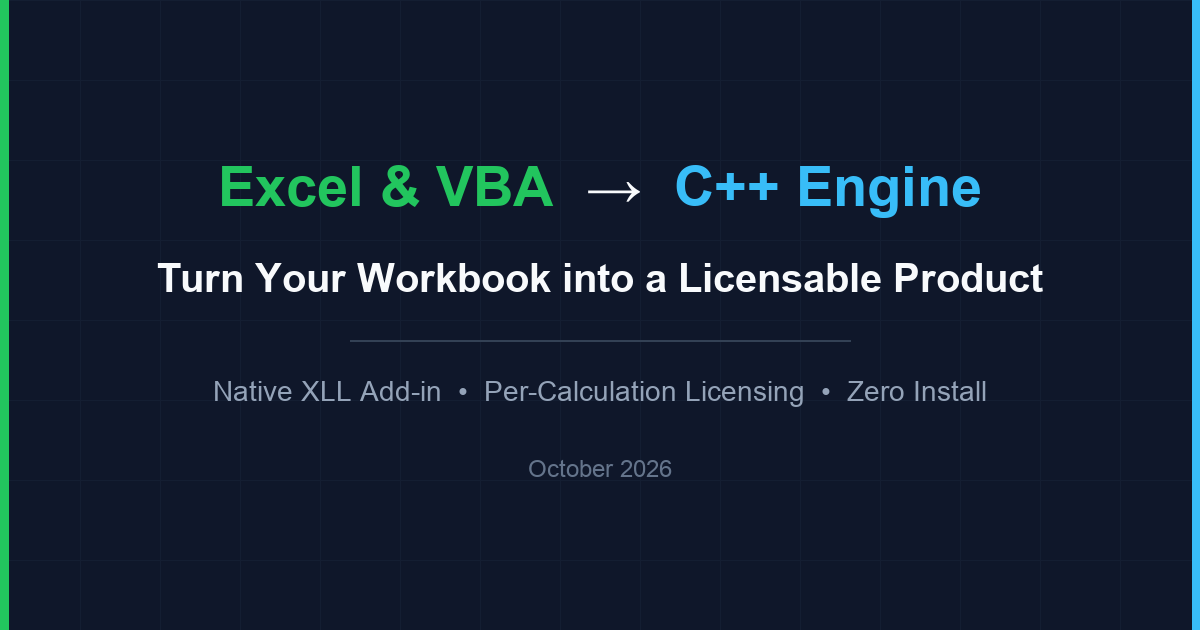
Rather than rewriting the application as a web portal that underwriters would resist, we applied the architecture detailed in our guide on how to protect Excel models and VBA as a licensable product →: separating the spreadsheet presentation layer from the actuarial intellectual property. The Excel workbook retained the exact input schedules, layer attachment matrices, exposure summaries, and printable syndicate reports that clients already knew.
- Complete VBA & Hidden Sheet Removal: Every proprietary VBA pricing module and all "Very Hidden" regional hazard lookup worksheets were stripped completely from the distributed workbook.
- Compiled C++ Calculation Engine: We ported the stochastic simulation routines, Pareto and log-normal severity distributions, attachment-point burning-cost formulas, and reinstatement premium calculators into a standalone, multi-threaded C++ executable running as a companion process alongside Excel.
| Architectural Layer | Before (Legacy .xlsm Workbook) |
After (Native XLL + Compiled C++ Engine) |
|---|---|---|
| Actuarial Pricing Algorithms | 15,000+ lines of readable VBA macros; password stripped in minutes | Compiled native C++20 machine code in an external .exe engine |
| 20-Year ASEAN Hazard Tables | Stored on "Very Hidden" Excel tabs; easily extracted via XML | AES-256 encrypted binary resources inside the C++ engine; zero data in sheet |
| 10,000-Run Monte Carlo Speed | 45+ seconds (single-threaded interpreted VBA; freezes Excel UI) | Under 0.8 seconds (multi-threaded native C++ vector evaluation) |
| Commercial Licence Control | None once file was emailed to client | Per-calculation dongle/licence check; returns #LICENCE mid-session if revoked |
Thin Native XLL Add-in & Custom Actuarial Worksheet Functions
To connect the spreadsheet to the external C++ engine seamlessly, we engineered a lightweight native Excel add-in (.xll) using the Microsoft Excel C API. The XLL contains zero business rules of its own; it simply registers custom worksheet functions and streams cell vectors over a high-speed local inter-process pipe.
- Familiar Formula Experience: Actuaries type custom functions such as
=ACTUARY.TREATYLOSS(layer, deductible, territory),=ACTUARY.BURNRATE(cashflows, curve_id), and=ACTUARY.REINSTATE_PREM()directly into cells just like built-in Excel formulas. - Self-Healing Process Lifecycle: If the background C++ calculation engine is closed in Windows Task Manager, the XLL bridge restarts it automatically in milliseconds. When the user closes Excel, the engine terminates cleanly with zero orphan processes.
Have a similar challenge?
Our experts can help you build custom integrations and plugins tailored to your business workflows.
Encrypted Regional Lookup Data & Per-Calculation Licensing
Both the mathematical formulas and the underlying ASEAN hazard frequency/severity tables needed ironclad protection against inspection and unlicensed copying.
- Encrypted Embedded Reference Tables: The 20-year regional catastrophe and mortality lookup tables were compiled and AES-256 encrypted directly into the engine's binary resources, decrypted only in protected memory during active calculation calls.
- Per-Calculation Licence Enforcement: Instead of a simple start-up gate, licence verification is tied to every calculation inside the C++ engine—supporting both Wibu CodeMeter / Thales Sentinel hardware dongles and annual node-locked software licences. If a licence expires or a dongle is unplugged mid-session, the custom actuarial cells immediately return
#LICENCEon the next recalculation while the rest of the Excel workbook stays responsive.
Zero-Install Portable Launcher & Automated Parity Verification
Because insurance and reinsurance IT departments across Southeast Asia strictly restrict local administrator rights and MSI installers, we packaged the entire product for zero-install execution alongside our Microsoft Office add-in engineering standards →.
- Portable Clean-Workbook Launcher: The solution runs directly from a user folder or USB drive with zero Windows Registry entries. At every launch, a lightweight launcher verifies SHA-256 signatures and opens a fresh, untampered copy of the master workbook template.
- Automated Reference Test Suite: Before commercial rollout, we built an automated test harness that ran 500+ historical treaty renewal structures through both the legacy VBA workbook and the new C++ engine side by side, proving zero numerical drift across every layer output.
Key Challenges
Exposed VBA & Catastrophe Curves
Over 15,000 lines of proprietary VBA stochastic pricing algorithms and 20 years of Southeast Asian flood, typhoon, and mortality severity curves sat exposed inside distributed .xlsm files.
Trivial Password Removal & Unlicensed Sharing
Prospective and past clients could strip Excel worksheet and VBA passwords in minutes, copying regional severity tables and sharing the workbook across unlicensed desks.
45-Second Calculation Bottlenecks
Running 10,000 Monte Carlo loss-distribution iterations in single-threaded VBA froze Excel for 45+ seconds per treaty layer during live underwriting negotiations.
Strict Offline & Zero-Install IT Policies
Syndicate actuaries refused to adopt a browser-based web app because they required offline execution, native Excel formula linking, and zero-install deployment on locked-down corporate laptops.
Results & Outcomes
The Southeast Asian actuarial firm transformed a vulnerable consulting deliverable into a high-margin, recurring software product—keeping the exact Excel interface underwriters relied on while eliminating IP leakage and cutting treaty simulation times by over 98%.
Sub-Second Monte Carlo Pricing
Multi-threaded C++ execution reduced 10,000-iteration treaty simulation times from 45 seconds in single-threaded VBA to under 0.8 seconds inside Excel.
Zero Exposed Formulas or Lookup Tables
100% of the 15,000 lines of VBA code and 20-year ASEAN flood, typhoon, and mortality severity curves were removed from the workbook and locked in encrypted native binary code.
Mathematically Verified Zero Drift
Automated side-by-side reference testing across 500+ historical reinsurance treaties confirmed zero numerical difference against the original actuarial models.
3.2x Recurring Licence Growth
Hardware dongle and node-locked per-calculation licensing drove a 3.2x increase in annual recurring workbook renewals across Singapore, Malaysia, and Thailand.