


 MetaDesign Solutions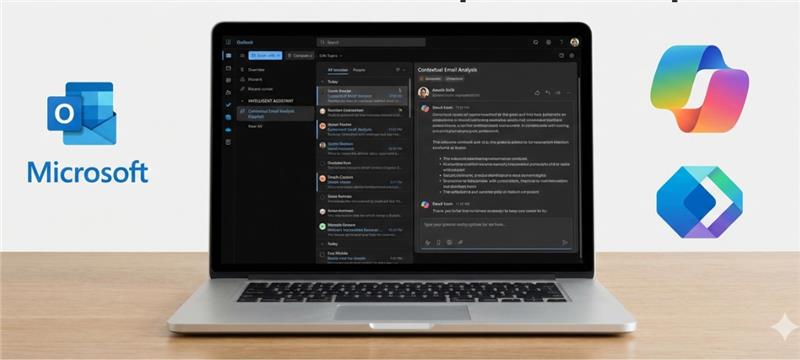

Introduction: The Transformation of Outlook with AI and Automation
As the digital workplace continues to evolve, so do the tools that we rely on daily. Microsoft Outlook, one of the most widely used email and productivity platforms, is at the forefront of this transformation. With the advent of AI-powered solutions like Microsoft Copilot and the Microsoft Graph API, Outlook is set to become even more powerful and intuitive.
In this blog, we will explore how businesses can leverage Microsoft Copilot and Microsoft Graph API to build AI-powered Outlook add-ins that streamline workflows, enhance productivity, and automate tasks. With these tools, developers can create intelligent add-ins that go beyond basic functionality to deliver an automated, smarter user experience.
1. Why AI-Powered Outlook Add-ins Matter
Before diving into the technicalities, it’s important to understand why AI is crucial for enhancing the Outlook experience. Outlook, while powerful, can become overwhelming when managing a high volume of emails, tasks, and calendar events. An AI-powered add-in can offer several benefits:
- Email Management: AI can help prioritize emails, flagging the most important ones, or even auto-categorizing them.
- Automated Scheduling: AI can analyze the user’s calendar, suggest optimal meeting times, and even help with scheduling based on preferences and availability.
- Smart Insights: By analyzing the email content, AI can generate actionable insights and suggest tasks, making Outlook more than just a communication tool but a productivity hub.
AI-powered add-ins can enhance user engagement, save time on repetitive tasks, and significantly boost overall productivity. Now, let’s explore how you can build these intelligent add-ins using Microsoft Copilot and Graph API.
2. Building Outlook Add-ins with Microsoft Copilot and Graph API
Understanding Microsoft Copilot
Microsoft Copilot is a cutting-edge tool that leverages the power of OpenAI’s GPT models to create intelligent, context-aware applications. By integrating Copilot with Outlook, you can enable features like email summarization, drafting responses, and natural language processing for more seamless communication.
For example:
- Copilot can help generate email drafts based on the tone of the conversation or specific prompts.
- It can also provide automatic summaries of lengthy email threads, making it easier to digest essential information without reading every message.
What is Microsoft Graph API?
The Microsoft Graph API is the gateway to accessing and interacting with data in Microsoft 365 services. It provides developers with a unified programming interface to retrieve and manage Outlook mail, calendars, contacts, tasks, and more.
By using Microsoft Graph API, you can create customized Outlook add-ins that:
- Access email content, contacts, and calendar events.
- Provide data-driven insights for actionable tasks based on email conversations.
Integrate with other Microsoft services like OneDrive and Teams to create a seamless workflow.

Build Smarter Outlook Add-ins with AI and Microsoft Copilot
Curious about the future of Outlook add-ins? Learn how Microsoft Copilot and the Graph API enable AI-powered automation, intelligent workflows, and seamless integrations—helping teams work faster and smarter.
3. Key Features of AI-Powered Add-ins for Outlook
Now that we understand the core technologies, let’s explore the key features of AI-powered Outlook add-ins that you can build using Microsoft Copilot and Graph API.
Intelligent Email Drafting and Summarization
AI can help users manage their inboxes more effectively by automatically drafting responses or summarizing long email threads. With Microsoft Copilot, you can use natural language processing to generate contextually relevant replies based on the user’s previous interactions or predefined templates.
- Example: If you receive an email requesting a meeting, Copilot could suggest a reply with available times based on your calendar. It could also summarize any previous correspondence, saving the user from scrolling through an entire email thread.
Automated Meeting Scheduling
Scheduling meetings can often be time-consuming. With the Graph API, you can create an add-in that analyzes users’ calendars and suggests optimal times for meetings based on participants’ availability, reducing the back-and-forth emails and improving scheduling efficiency.
- Example: An add-in could automatically propose a meeting time that works for all participants by pulling availability from the calendar data, and even automatically send invites with predefined agendas.
Actionable Insights and Smart Notifications
Another powerful feature enabled by AI is the ability to extract actionable insights from email content. For example, an add-in could scan through incoming messages and alert the user about important tasks, deadlines, or project updates. This can help the user stay organized and never miss important emails or actions.
- Example: The add-in could highlight emails that contain to-do tasks and automatically add them to the user’s task list or calendar.
Enhanced Search and Email Filtering
Using AI, you can enhance the search functionality in Outlook. An AI-powered add-in can help users search their email for specific content, but with much more precision. For example, you could implement natural language search where users simply type in a query like, “Find all emails with attachments from John.”
- Example: An add-in could suggest filtering options based on email content, attachments, or sender, and even prioritize emails based on urgency.
4. How to Build Your First AI-Powered Outlook Add-in
Step 1: Set Up Your Development Environment
To build an AI-powered add-in, you will need the following:
- Microsoft 365 Developer Account: Start by setting up a Microsoft 365 Developer Program account.
- Visual Studio or Visual Studio Code: These IDEs provide templates for creating add-ins using JavaScript, HTML, and CSS.
- Microsoft Graph API: You’ll need to authenticate and gain access to Graph API to fetch Outlook data.
Step 2: Integrate Microsoft Graph API
Once your development environment is ready, you can start by connecting your add-in to Microsoft Graph API. You’ll need to authenticate using OAuth and then query the Microsoft Graph endpoints to retrieve email data, calendars, and other relevant information.
- Use Graph Explorer to test your queries before integrating them into your add-in.
Step 3: Integrate AI with Microsoft Copilot
Next, integrate Microsoft Copilot to enhance the functionality of your add-in with AI capabilities. Copilot can be connected to your add-in through Azure OpenAI Service.
- Use Copilot’s natural language processing capabilities to automate tasks like email drafting, summarization, and actionable insights.
Step 4: Deploy and Test
After developing your add-in, test it rigorously to ensure that the AI functions correctly and that the add-in integrates smoothly with Outlook. Once it’s ready, deploy the add-in for your users via Microsoft AppSource or through centralized deployment for your organization.
5. Conclusion: Embrace the Future of Productivity with AI-Powered Outlook Add-ins
AI-powered add-ins are the future of Microsoft Outlook, and with the power of Microsoft Copilot and the Graph API, the possibilities are endless. From automated email management to intelligent scheduling and actionable insights, these tools can dramatically enhance your productivity and efficiency.
As AI continues to evolve, so will the capabilities of Outlook add-ins, offering even smarter automation and more intuitive user experiences. Now is the perfect time to start building AI-powered solutions that will shape the future of email management, task automation, and collaboration.
If you’re ready to build your own AI-powered Outlook add-ins, MetaDesign Solutions is here to help! Our expert team can assist you in integrating Microsoft Copilot and Graph API into your business workflows to unlock the true potential of Outlook.
MetaDesign Solutions: Build Your AI-Powered Outlook Add-in Today
Ready to create an AI-powered add-in for Microsoft Outlook?
👉 Contact us for a free consultation on how we can help you integrate Microsoft Copilot and Graph API into your Outlook experience. Talk to Our Experts