MetaDesign Solutions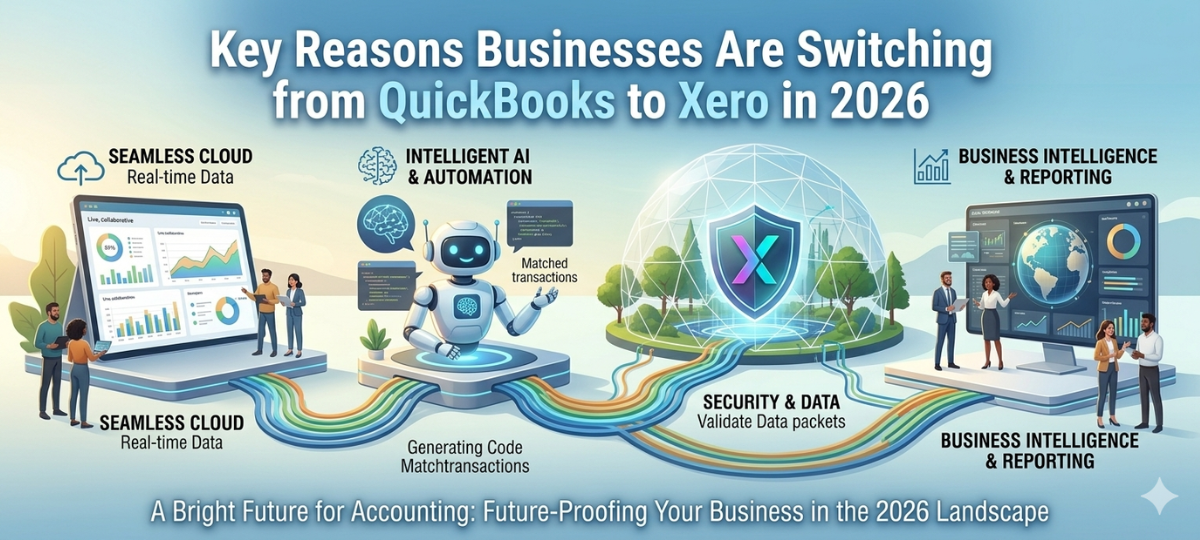

1. Cloud Accessibility and Remote Accounting
One of the biggest reasons businesses move from QuickBooks to Xero is the flexibility of cloud accounting.
With Xero Cloud, users can:
- Access financial data from any device
- Collaborate with accountants remotely
- Manage finances across multiple locations
This makes Xero ideal for modern distributed teams.
2. Automation of Accounting Workflows
Manual accounting processes consume valuable time. Xero automates many of these tasks, including:
- Bank reconciliation
- Invoice generation
- Expense tracking
- Financial reporting
Automation reduces errors and increases productivity after QuickBooks to Xero conversion.
3. Real-Time Financial Reporting
Traditional accounting software often requires manual report generation.
Xero provides:
- Real-time financial dashboards
- Automated cash flow reports
- Instant profit and loss statements
- Real-time financial analytics
These insights help businesses make faster financial decisions after QuickBooks data migration.
4. Better Integrations with Business Tools
Xero integrates with more than 1,000 business applications, including:
- CRM platforms
- Payroll software
- Inventory systems
- Payment gateways
These integrations make Xero a powerful ecosystem for businesses completing QuickBooks Desktop to Xero migration.
5. Improved Security and Data Backup
Cloud platforms provide stronger data protection compared to desktop software.
Xero includes:
- Automatic backups
- Multi-factor authentication
- Secure cloud infrastructure
This ensures financial data remains safe after businesses convert QuickBooks files to Xero.

Transform Legacy SaaS with AI-Driven Workflow Automation
Thinking about upgrading your accounting system in 2026? Discover the key reasons businesses are moving from QuickBooks to Xero to gain better automation, real-time financial insights, and the flexibility of modern cloud accounting.
QuickBooks Desktop Limitations in 2026
Although QuickBooks Desktop remains widely used, businesses face several limitations.
Limited Remote Access
Desktop accounting requires installation on specific machines, making remote work difficult.
Manual Updates and Maintenance
Businesses must install software updates manually and maintain local systems.
Higher IT Costs
Running desktop accounting systems requires servers, IT maintenance, and backups.
Reduced Scalability
Desktop accounting tools struggle to scale with growing organizations.
These challenges are driving companies to switch from QuickBooks to Xero cloud accounting.
Benefits of QuickBooks to Xero Migration
Businesses that complete QuickBooks Desktop to Xero migration gain several advantages.
Improved Financial Visibility
Cloud dashboards provide real-time financial insights.
Reduced Operational Costs
Cloud accounting eliminates infrastructure costs.
Faster Financial Processes
Automation reduces manual accounting tasks.
Better Collaboration
Accountants and teams can collaborate in real time.
Scalable Accounting Infrastructure
Xero supports business growth without complex upgrades.
How QuickBooks to Xero Migration Works
Migrating accounting systems requires careful planning to ensure accurate financial data transfer.
The QuickBooks to Xero migration process typically includes:
Data Assessment
Analyze existing QuickBooks data and accounting structure.
Data Mapping
Map QuickBooks accounts, transactions, and records to Xero format.
Data Conversion
Use specialized QuickBooks conversion tools to transfer financial records.
Data Validation
Verify account balances, invoices, and transactions after migration.
System Configuration
Set up Xero dashboards, integrations, and workflows.
A structured migration process ensures successful QuickBooks Desktop conversion to Xero.
AI-Powered QuickBooks Conversion Tools in 2026
Modern migration solutions now use AI-powered QuickBooks conversion tools to simplify accounting system transitions.
AI tools can:
- Automatically map accounting data
- Detect duplicate financial records
- Validate financial reports
- Identify migration errors
These technologies make QuickBooks Desktop to Xero migration faster and more reliable.
When Should Businesses Migrate to Xero?
Organizations should consider migrating when:
- QuickBooks Desktop becomes difficult to maintain
- Financial collaboration is required across teams
- Automation and integrations are needed
- Accounting infrastructure must scale
A well-planned QuickBooks Desktop migration to Xero ensures minimal disruption.
Future of Cloud Accounting Beyond 2026
The future of accounting will continue to move toward cloud platforms powered by automation and artificial intelligence.
Emerging trends include:
- AI-powered accounting assistants
- Automated financial forecasting
- Intelligent reconciliation systems
- Autonomous accounting workflows
These innovations make cloud accounting platforms like Xero the ideal long-term solution for businesses.
Final Thoughts
2026 marks a major shift toward cloud-based financial management. Businesses that continue using legacy accounting systems may struggle with scalability, automation, and collaboration.
By completing QuickBooks Desktop to Xero migration, organizations gain access to modern accounting capabilities, automation tools, and real-time financial insights.
Companies planning to modernize their accounting systems should consider switching from QuickBooks to Xero cloud accounting to stay competitive in an increasingly digital business environment.
Related Hashtags:
#QuickBooksToXero#QuickBooksMigration#XeroAccounting#CloudAccounting#AccountingAutomation#QuickBooksConversion#AccountingTechnology#XeroCloud#BusinessAutomation#FintechSolutions