MetaDesign Solutions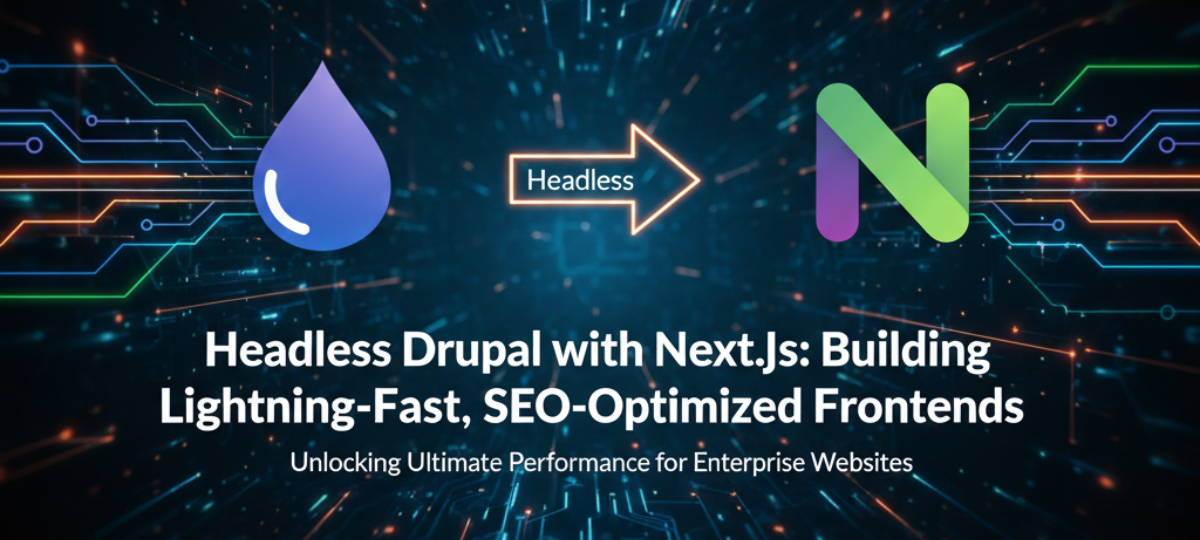

In the modern web development landscape, the demand for high-performance websites with fast load times, scalable architectures, and seamless user experiences is ever-increasing. Traditional content management systems (CMS) like Drupal have long been used to manage and organize content. However, as the need for speed, flexibility, and scalability grows, the approach of headless CMS paired with modern JavaScript frameworks like Next.js is becoming a powerful solution.
This combination of Headless Drupal and Next.js enables businesses to deliver lightning-fast frontends while leveraging the robust content management capabilities of Drupal. In this blog, we’ll dive into how you can build high-performance frontends with Headless Drupal and Next.js, exploring key concepts, architecture, integration strategies, and best practices.
What Is Headless Drupal?
Headless CMS: A New Approach
A headless CMS refers to a content management system that separates the backend (content storage and management) from the frontend (presentation layer). Unlike traditional CMS systems like Drupal or WordPress, which tightly integrate both backend and frontend, a headless CMS provides content via APIs, allowing you to use any frontend framework or technology to display that content.
In headless Drupal, the CMS acts purely as the backend content repository and exposes content via RESTful API, GraphQL, or other API formats. This enables you to use modern frontend frameworks such as Next.js, React, Vue.js, or even mobile apps to build the frontend.
Benefits of Headless Drupal:
- Flexibility: You can choose the frontend technologies that best meet your requirements.
- Faster Development: You separate concerns, allowing frontend and backend teams to work independently and faster.
- Omnichannel Delivery: Headless Drupal lets you deliver content not only to websites but also to mobile apps, smart devices, and other platforms.
- Better Performance: Headless CMS decouples backend systems from frontend rendering, enabling more optimized and fast user experiences.
Why Use Next.js with Headless Drupal?
Next.js is one of the most popular React-based frameworks that simplifies building server-side rendered (SSR) or static websites. When combined with Headless Drupal, Next.js offers a powerful solution to deliver highly performant websites with better SEO, fast loading speeds, and a great user experience.
Key Benefits of Next.js for Building Frontends with Headless Drupal:
- Static Site Generation (SSG): Next.js allows you to generate static pages at build time, which are then served as pre-rendered HTML files, resulting in blazing-fast load times.
- Server-Side Rendering (SSR): For dynamic content, Next.js offers SSR, where pages are rendered on the server on each request, allowing for SEO-friendly and dynamic content rendering.
- Automatic Code Splitting: Next.js automatically splits code to ensure that only the necessary code is loaded, reducing bundle size and improving load time.
- SEO Optimization: Since Next.js allows for server-side rendering, it generates SEO-friendly HTML for search engines to crawl, significantly improving organic search visibility.
- API Routes: Next.js supports building API routes, enabling seamless communication between the frontend and backend (Drupal) without needing an external backend server.
- Fast Development with React: With React.js’ component-based structure and Next.js’ robust features, React.js Development Companies can accelerate the development process. This combination offers a fast, flexible, and scalable approach to building modern web applications, ensuring that front-end development is both efficient and adaptable.
What Makes Next.js a Perfect Fit with Headless Drupal?
- API-driven content: Drupal serves content through REST API or GraphQL, and Next.js consumes this data to dynamically generate pages at build time or on the fly.
- Flexibility: Whether you need a static site or a dynamic web application, Next.js provides the flexibility to choose the best rendering strategy (SSG, SSR, ISR).

Power Enterprise SaaS with Modern Meta-Frameworks
Discover how combining Headless Drupal with Next.js can help you build lightning-fast, scalable frontends. Learn why modern development teams are choosing this powerful combination for optimal performance and flexibility.
Architectural Overview: How Headless Drupal and Next.js Work Together
1. The Role of Headless Drupal (Backend)
Drupal acts as the content management system that stores all your content, including text, images, videos, and metadata. It exposes this content through APIs — typically REST API or GraphQL. The headless setup of Drupal allows the content to be consumed by any frontend framework or application.
- Content Storage: Store structured content like articles, blogs, user profiles, and other entities.
- Content Delivery via API: Fetch the content using REST API or GraphQL to deliver data to Next.js.
- Admin Interface: Drupal provides an easy-to-use interface to manage content, while the frontend (Next.js) consumes the content independently.
2. The Role of Next.js (Frontend)
Next.js serves as the frontend framework, responsible for rendering content dynamically or statically. It consumes the data served by Drupal’s API and renders it to the client.
- Fetching Data: Next.js makes API calls (REST or GraphQL) to Drupal to fetch the necessary content.
- Static Rendering (SSG): Next.js pre-renders pages at build time, making them fast and SEO-friendly.
- Dynamic Rendering (SSR): For pages that require real-time data fetching, Next.js can render content on the server before sending it to the client.
3. How Data Flows from Drupal to Next.js
- Content Management in Drupal: Administrators and content creators use Drupal’s admin interface to manage content like articles, blogs, or products.
- Fetching Content via API: Next.js queries Drupal’s REST API or GraphQL endpoint to retrieve the content.
- Rendering in Next.js: Depending on the rendering method (SSG, SSR, or ISR), Next.js either generates the content at build time or fetches it on-demand from the API.
- Delivering Fast Pages: The content is served as pre-rendered HTML or dynamic pages, ensuring fast load times and a seamless user experience.
Setting Up Headless Drupal with Next.js
Step 1: Set Up Drupal as a Headless CMS
- Install Drupal: Set up a fresh installation of Drupal or use an existing Drupal instance.
- Enable Web Services: Install the necessary modules such as RESTful Web Services or GraphQL for exposing Drupal content as APIs.
- Create Content Types: Define the content types in Drupal, such as articles, pages, or custom content types.
- Configure Permissions: Set up permissions to ensure that only authorized users or apps can access specific content via API.
- Enable CORS: Enable Cross-Origin Resource Sharing (CORS) to allow your Next.js frontend to access Drupal’s API.
Step 2: Set Up Next.js for Frontend
- Create a Next.js Project: Start a new Next.js project using create-next-app.
- Install Dependencies: Use packages like axios or graphql-request to make API calls to your Drupal backend.
- Fetch Content in Next.js:
- For SSG, use getStaticProps() to fetch content at build time.
- For SSR, use getServerSideProps() to fetch content on each request.
- For SSG, use getStaticProps() to fetch content at build time.
- Render Content: Display the fetched content dynamically within your React components.
- Optimize for SEO: Use Next.js’ built-in features like Head, dynamic meta tags, and pre-rendering to ensure good SEO performance.
Step 3: Integrate API Endpoints
REST API: You can fetch content from Drupal using the REST API. Example of fetching data from a simple article content type:
					 const res = await fetch('https://your-drupal-site.com/api/articles');
const data = await res.json();
- GraphQL: If you prefer using GraphQL for more flexibility, use the GraphQL endpoint provided by Drupal. Example of fetching articles:
					const query = `
  {
    articles {
      title
      body
      image {
        url
      }
    }
  }
`;
const res = await fetch('https://your-drupal-site.com/graphql', {
  method: 'POST',
  headers: { 'Content-Type': 'application/json' },
  body: JSON.stringify({ query }),
});
const data = await res.json();
Best Practices for Performance and Scalability
1. Optimize Content Delivery
To ensure lightning-fast performance:
- Cache Content: Use a CDN (Content Delivery Network) to cache static assets and reduce server load.
- Use Static Site Generation (SSG): Pre-render as many pages as possible at build time with Next.js to avoid fetching content on every request.
- Enable Incremental Static Regeneration (ISR): Use ISR to update static pages without rebuilding the entire site.
2. Improve API Performance
- Optimize API Calls: Make sure your API calls are efficient by querying only necessary fields and reducing unnecessary data processing.
- Use API Caching: Cache API responses using tools like Redis or Varnish to improve response time and reduce database load.
3. Content Personalization
For personalized content, combine user profiles and dynamic content fetching. With Next.js and xAPI or GraphQL, you can create personalized landing pages based on user interactions.
Conclusion
Building lightning-fast and scalable frontends with Headless Drupal and Next.js is a powerful approach for modern web development. By combining the flexibility of Drupal’s content management capabilities with the speed and performance of Next.js, you can create a high-performance web application that scales with your business needs.
The headless approach provides you with the flexibility to deliver content across multiple channels, from websites to mobile apps, while ensuring fast load times and SEO-friendly rendering. The integration of Next.js ensures that you are leveraging the latest in web performance optimization, with features like SSG, SSR, and ISR.
By following the steps outlined in this guide, you can unlock the full potential of Headless Drupal and Next.js, creating a seamless and fast digital experience that will engage users and improve retention.
Related Hashtags:
#HeadlessDrupal #NextJS #WebPerformance #FrontendDevelopment #Drupal #API #WebDevelopment #ScalableArchitecture #DigitalTransformation #ReactJS #TechInnovation