MetaDesign Solutions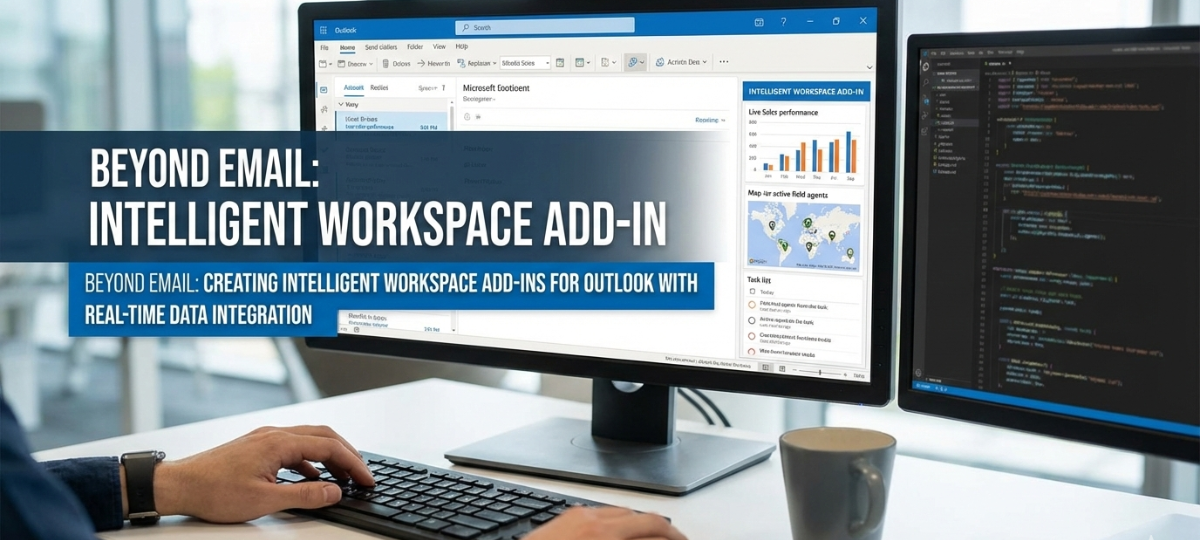

Introduction: The Evolving Role of Outlook in the Modern Workspace
In today’s digital-first work environment, Outlook is no longer just a tool for sending and receiving emails. It has evolved into a central hub for productivity, integrating with a wide array of applications and data sources to streamline workflows. As businesses increasingly embrace a connected workspace, the need for intelligent add-ins that provide real-time data integration has never been greater.
This article will guide you through the process of creating advanced Outlook add-ins that integrate real-time data from various enterprise applications. These add-ins go beyond the traditional email-based functions and empower users to work smarter and more efficiently within Outlook, driving productivity and enhancing collaboration.
1. Why Build Intelligent Workspace Add-ins for Outlook?
Outlook add-ins have traditionally focused on email management, calendar scheduling, and task tracking. However, the modern workspace demands much more. Users need access to real-time data, across various platforms, within the same interface, allowing them to make decisions faster, manage projects better, and collaborate seamlessly.
Here are some reasons to consider building intelligent workspace add-ins for Outlook:
- Unified User Experience: With integration into tools like CRM systems, project management platforms, and document storage services, users can access everything they need without leaving Outlook.
- Real-Time Data Access: Integrating real-time data from multiple sources ensures that users have the most up-to-date information at their fingertips—whether it’s customer data, team updates, or financial figures.
- Boosted Productivity: Intelligent add-ins provide real-time context and automate repetitive tasks, allowing users to focus on high-priority activities rather than switching between apps or manually searching for data.
- Enhanced Collaboration: These add-ins foster collaboration by enabling seamless communication and data sharing across different teams and departments directly within Outlook.
2. Key Benefits of Real-Time Data Integration in Outlook Add-ins
Building real-time data integration capabilities into Outlook add-ins delivers significant advantages to users and organizations alike:
A. Streamlined Workflow Across Platforms
By integrating data from CRM systems like Salesforce or Microsoft Dynamics, ERP platforms like SAP, or project management tools like Trello and Asana, users can access critical data directly within Outlook. This eliminates the need to constantly toggle between different apps, increasing efficiency and reducing task-switching time.
B. Data-Driven Decision Making
Having real-time data integrated into the Outlook interface means users can make better, faster decisions. For example, if a sales representative is reviewing an email from a client, they can immediately access up-to-date customer records, sales data, and current project statuses without leaving Outlook.
C. Real-Time Collaboration
With integrated chat, document sharing, and meeting scheduling tools, teams can collaborate in real-time while still working within the familiar environment of Outlook. Whether it’s tracking the progress of a project, viewing a customer’s recent interactions, or sharing key documents, users can stay aligned and productive.
D. Improved Customer Interactions
For customer-facing employees, having instant access to real-time customer data directly in Outlook enhances service quality. Whether it’s checking the status of an order, reviewing recent support tickets, or seeing up-to-date customer notes, Outlook add-ins that integrate real-time data help improve the quality and speed of customer service.

Intelligent Workspace Add-ins for Outlook with Real-Time Data Integration
Discover how MetaDesign Solutions builds powerful, real-time data-integrated add-ins for Outlook, enhancing productivity and streamlining workflows. Book a consultation today to create smarter workspace solutions.
3. How to Build Real-Time Data-Integrated Add-ins for Outlook
Now that we’ve outlined the benefits, let’s dive into how you can build intelligent Outlook add-ins that integrate real-time data to improve workflows.
Step 1: Choose the Right Technologies for Real-Time Data Integration
When developing an Outlook add-in with real-time data integration, you’ll need to rely on modern web technologies and services:
- Office.js API: The core JavaScript API for Outlook add-ins. It allows you to interact with Outlook’s mail, calendar, and task features, along with custom UI components.
- Microsoft Graph API: For connecting to various Microsoft 365 services, including user data, SharePoint, OneDrive, and Teams. The Graph API makes it easy to pull and push data between Outlook and other Microsoft applications.
- Webhooks & API Integration: To achieve real-time data updates, integrate webhooks from third-party platforms (CRM, ERP, etc.). For instance, when a new lead is created in your CRM, a webhook can push the new data into the Outlook add-in for instant viewing.
- OAuth 2.0: For secure, scalable authentication with Microsoft 365 services as well as third-party apps, ensuring that data can be accessed without compromising security.
Step 2: Define the Add-in’s Core Functionality
Before diving into development, it’s essential to define the key functionalities of your add-in:
- Data Retrieval: What data will the add-in pull from external sources? Define the data points you need, such as sales data, customer records, or project statuses.
- Real-Time Data Updates: Will the add-in automatically update data in real-time, or will users manually refresh the data? Consider implementing an automatic refresh mechanism or data push notifications via webhooks.
- User Interface (UI): How will users interact with the integrated data? Ensure the UI is user-friendly and that data is displayed clearly within the Outlook environment.
Step 3: Build the Integration Layer
Once you’ve defined the core functionality, start building the integration:
- Use Office.js to interact with the Outlook environment.
- Connect to external APIs (e.g., Salesforce, Trello, etc.) via RESTful services to pull real-time data.
- Implement real-time data push using webhooks or polling techniques to keep the data current.
- Display integrated data in a well-designed UI within the task pane or message read forms.
Step 4: Test, Deploy, and Monitor
- Testing: Thoroughly test the add-in across different versions of Outlook (web, desktop, and mobile) to ensure consistency and compatibility.
- Deployment: Deploy the add-in through the Microsoft Store or through centralized deployment for organizational use.
- Monitoring: Use analytics and feedback to monitor the add-in’s usage, gather insights, and continually improve it.
4. Real-World Examples of Intelligent Workspace Add-ins
Here are a few examples of how real-time data integration in Outlook add-ins can transform workflows:
A. CRM Integration Add-ins
An add-in integrated with a CRM system (e.g., Salesforce) could display relevant customer data, such as sales history, open opportunities, or recent activities, directly in the sidebar when a user opens an email. Sales reps can update contact details, log activities, or schedule follow-ups, all without leaving Outlook.
B. Project Management Add-ins
An add-in that integrates with project management tools (e.g., Trello or Asana) could display project timelines, tasks, and deadlines in real-time. Users can update tasks, assign new responsibilities, or change deadlines, ensuring seamless communication and task tracking without switching between platforms.
C. Financial Data Add-ins
An add-in that pulls data from financial systems (e.g., QuickBooks or SAP) could allow accountants or financial analysts to view up-to-date reports, invoices, and account balances directly within Outlook. This could be particularly useful when responding to client emails or preparing for meetings.
5. Conclusion: Building Smarter, More Efficient Workflows with Real-Time Data
The future of Outlook add-ins lies in their ability to seamlessly integrate real-time data from multiple platforms into a unified workspace. By developing intelligent workspace add-ins, businesses can enhance productivity, streamline communication, and ensure that their teams always have the most up-to-date information available—without ever leaving Outlook.
Ready to take your Outlook add-ins to the next level? Start leveraging real-time data integration to transform your workflows and deliver smarter, more efficient user experiences.
Related Keyphrase:
#Boomi #EDIIntegration #B2BIntegration #BoomiDevelopment #iPaaS #B2BWorkflows #DataTransformation #CloudIntegration #BoomiSolutions #Automation #EDI #IntegrationPlatform #BoomiExperts