MetaDesign Solutions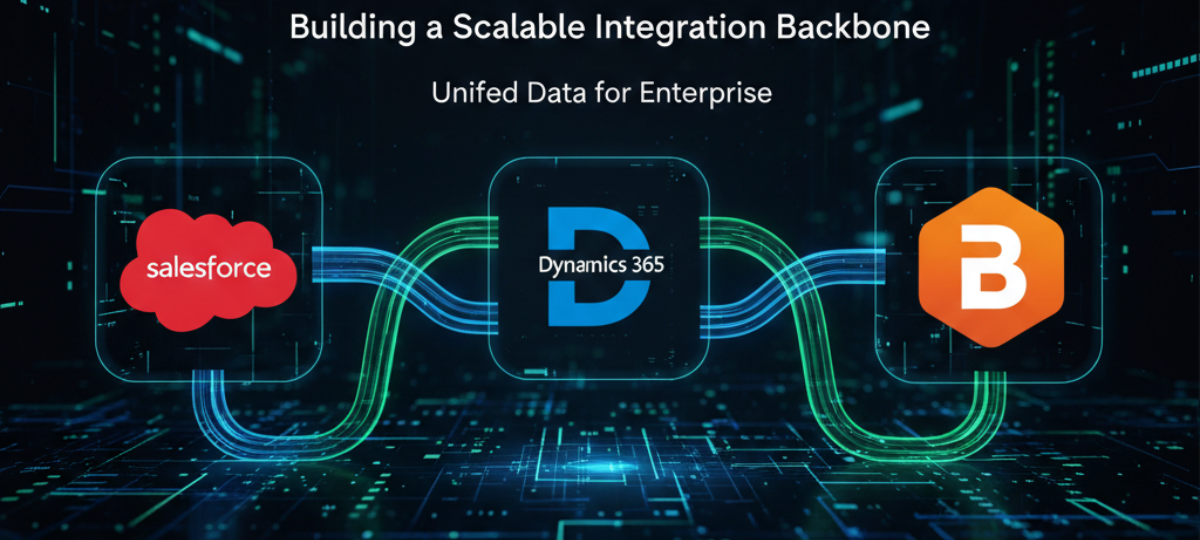

Introduction: Why Integration Is the New Competitive Advantage
In 2026, enterprise systems don’t fail because they lack features—they fail because they don’t talk to each other well. Sales, service, finance, operations, and analytics teams depend on real-time data flowing across platforms. When integrations break, organizations face data silos, delayed decisions, and poor customer experiences.
That’s why many enterprises are standardizing on a scalable integration backbone that connects best-in-class platforms like Salesforce, Microsoft Dynamics 365, and Boomi.
This article explains how these platforms work together, the architecture patterns that scale, and how to avoid common integration pitfalls—so your integration layer becomes an enabler, not a bottleneck.
Why Salesforce + Dynamics CRM Is a Common Enterprise Reality
Enterprises rarely standardize on a single CRM or ERP. Instead, they operate hybrid ecosystems:
- Salesforce for sales automation, CPQ, and partner management
- Dynamics 365 for finance, operations, customer service, or ERP
- Additional systems for billing, marketing, analytics, and support
This mix often emerges from mergers, regional preferences, or best-tool decisions. The challenge is not the tools themselves—it’s synchronizing data, processes, and events across them at scale.
Without a proper integration strategy, teams resort to:
- Point-to-point APIs
- Custom-coded scripts
- Manual data reconciliation
These approaches don’t scale.
Why Boomi Is the Backbone, Not Just a Connector
Boomi is purpose-built to act as an integration backbone, not a one-off connector. As an iPaaS (Integration Platform as a Service), Boomi provides:
- Event-driven and batch integrations
- Hybrid and multi-cloud connectivity
- Low-code orchestration with enterprise controls
- Built-in monitoring, retries, and error handling
For organizations integrating Salesforce and Dynamics CRM, Boomi becomes the control plane that governs how data moves, transforms, and triggers workflows across systems.
A Scalable Integration Architecture (2026-Ready)
A future-proof integration architecture separates systems of record from systems of interaction and systems of insight.
Typical pattern:
- Salesforce and Dynamics 365 remain authoritative for their domains
- Boomi orchestrates data flows and business events
- Downstream systems subscribe to events (orders, customers, invoices)
- APIs and queues decouple producers from consumers
This design:
- Eliminates tight coupling
- Enables independent scaling
- Reduces blast radius of failures
- Supports real-time and async workflows
Key Integration Use Cases That Scale
1. Customer 360 Across CRMs
Boomi synchronizes accounts, contacts, and activities between Salesforce and Dynamics 365, resolving conflicts with mastering rules and golden records. The result is a single, trusted customer view.
2. Lead-to-Cash Automation
Leads originate in Salesforce, opportunities convert to orders, and financials flow into Dynamics 365. Boomi orchestrates state transitions, validations, and exception handling end-to-end.
3. Service-to-Billing Alignment
Cases and service events in Dynamics 365 trigger billing updates, credits, or renewals—kept in sync with Salesforce for sales visibility.
4. Event-Driven Integrations
Instead of polling, Boomi publishes events (e.g., “OrderCreated”, “CustomerUpdated”) so downstream systems react in near real time.

Build a Unified Integration Backbone for Your Enterprise
See how Salesforce, Dynamics CRM, and Boomi come together to create a scalable, secure, and future-ready integration architecture that enables seamless data flow, system interoperability, and enterprise growth.
Security, Governance, and Compliance by Design
Enterprise integrations must meet strict requirements:
- Role-based access control
- Data masking and encryption
- Audit trails and observability
- SLA-backed reliability
Boomi provides centralized governance, while Salesforce Development Services and Dynamics 365 enforce domain-level security, identity management, and access controls. Together, they create a compliant, auditable integration fabric—critical for regulated industries.
Common Integration Pitfalls (and How to Avoid Them)
Pitfall 1: Point-to-point sprawl
→ Fix: Centralize orchestration in Boomi.
Pitfall 2: Over-synchronization
→ Fix: Sync only what’s needed; prefer events over full loads.
Pitfall 3: No ownership model
→ Fix: Define system-of-record rules per entity.
Pitfall 4: Ignoring failure modes
→ Fix: Design retries, dead-letter queues, and alerts from day one.
How MetaDesign Solutions Builds Integration Backbones
At MetaDesign Solutions, we design and implement enterprise-grade integration backbones that scale with your business.
Our services include:
- Boomi integration services (design, build, governance)
- Salesforce–Dynamics 365 integration strategies
- API-led and event-driven architecture
- Legacy system modernization and data migration
- Ongoing monitoring, optimization, and support
We focus on outcomes: fewer failures, faster cycles, and systems that evolve without rework.
👉 Need a scalable integration strategy?
Talk to our integration experts:
🔗 https://calendly.com/amit-mds
Conclusion: Integration as a Platform, Not a Project
In 2026, integration is no longer a background task—it’s a platform capability. Enterprises that succeed treat Salesforce, Dynamics CRM, and Boomi as parts of a cohesive system, not isolated tools.
By using Boomi as the integration backbone and designing with scalability, security, and governance in mind, organizations can:
- Eliminate data silos
- Enable real-time operations
- Scale without rework
- Deliver better customer experiences
The right integration backbone doesn’t just connect systems—it future-proofs the enterprise.
Related Hashtags:
#SalesforceIntegration #Dynamics365 #Boomi #EnterpriseIntegration #iPaaS #SystemIntegration #CRMIntegration #DigitalTransformation #MetaDesignSolutions